Pilot States
Every pilot is in exactly one of the following states. The diagram shows the typical flow of a competition day and who, when, and why changes a pilot's state.
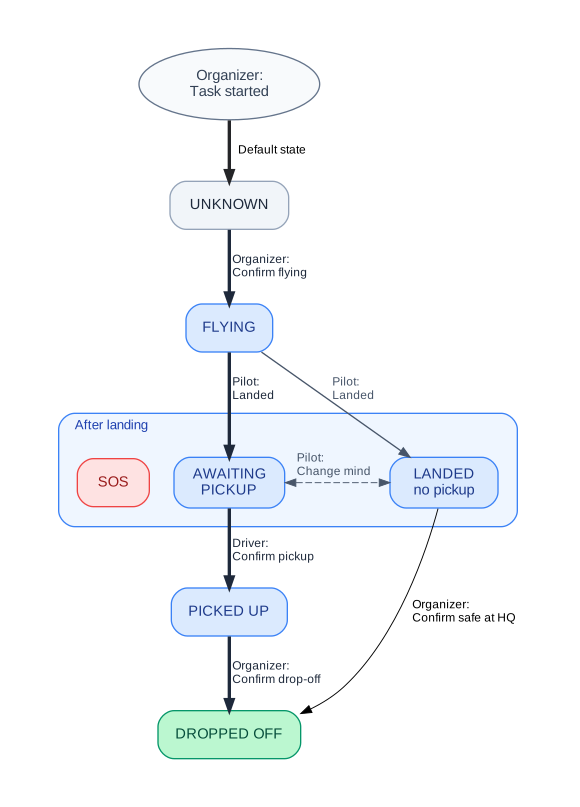
States
| not flying | Pilot is a participant but hasn't signed in for takeoff yet. |
|---|
| flying | Pilot has signed in for takeoff, or is currently flying. |
|---|
| awaiting pickup | Pilot has landed and is waiting for a retrieval van. |
|---|
| landed, no pickup | Pilot landed safely but does not need a van (e.g. hitched a ride). |
|---|
| sos | Emergency — pilot has landed and needs urgent assistance. |
|---|
| picked up | Pilot is in the retrieval van. |
|---|
| signed off | Pilot signed off — back at base. |
|---|
Actors
| Organizer | Organizer – starts and ends competition tasks, confirms each pilot's state as "Flying" or "Signed Off" (serves as a substitute for the signature sheet at the start/finish). |
|---|
| Driver | Van driver – monitors pilots on the map who need pickup and confirms their pickup and drop-off at the base. |
|---|
| Pilot | Pilot – after a safe landing, confirms their state, location, and can request a pickup. In case of emergency, triggers SOS. |
|---|
Reading the Map
The map looks and works the same everywhere it appears — organizer, driver, and pilot screens all show the same markers, colors, and legend for the same situation. Here's what each part of it means.
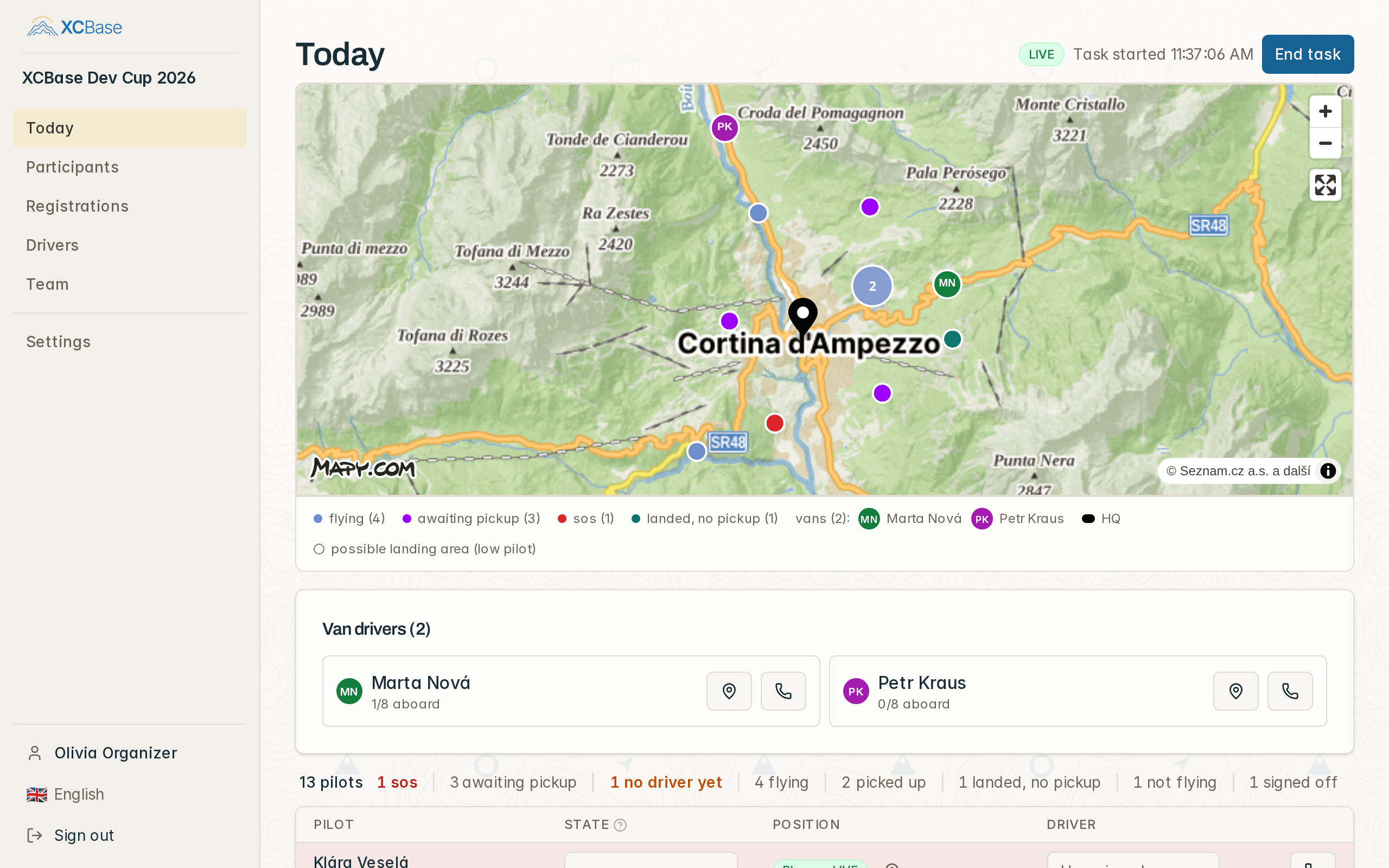
Legend
| flying | A pilot currently flying, or about to take off. |
|---|
| awaiting pickup | A pilot who has landed and is waiting for a retrieval van. |
|---|
| sos | A pilot in an emergency, needing urgent assistance. |
|---|
| vans | A retrieval van's current position. |
|---|
| HQ | The competition's base location. |
|---|
| possible landing area (low pilot) | The ground a low-flying pilot could still reach by gliding. It shrinks as the pilot descends, and disappears once they land or climb back above the threshold. |
|---|